ChatGPT Atlas vs Perplexity Comet vs Dia: A Direct Comparison
The browser has been the same tool for 30 years. You type a URL. You click links. You copy text. The browser does nothing on its own. In 2025, that ch...
목차 (18)
- The Browser Is No Longer Just a Viewer
- What Makes an AI Browser Different From a Browser With AI
- Atlas — The Autonomous Agent Living Inside ChatGPT
- Comet — The Search Engine That Became a Browser
- Dia — The Browser That Understands Tabs
- How Each Browser Handles Authentication and Secure Sessions
- Real Scenario: Running Atlas for a Week on a Repetitive Research Task
- Real Scenario: Comet for a Three-Day Research Deep Dive
- Migrating from Chrome to an AI Browser — A Step-by-Step Guide
- Autonomous Agent Capability Comparison
- Side-by-Side Comparison
- Recommendations by Use Case
- Privacy Trade-offs
- Performance Reality: Memory, Speed, and Battery Impact
- Combined Usage Patterns
- Which One to Choose
- FAQ
- Closing
The Browser Is No Longer Just a Viewer
The browser has been the same tool for 30 years. You type a URL. You click links. You copy text. The browser does nothing on its own. In 2025, that changed. Three products arrived that fundamentally redefined what a browser is supposed to do.
Atlas from OpenAI acts on your behalf. Comet from Perplexity searches and reasons inside the browser itself. Dia from Browser Company reads every tab you have open and tells you what matters. These are not extensions. These are not AI sidebars bolted onto Chrome. They are browsers built from scratch around an AI core.
The bottom line first: none of the three is a finished product. All three have real limitations. But the directions they are heading in are already clearly different — autonomous execution, integrated research, and passive comprehension. Choosing the wrong one for your workflow costs time. This article maps out exactly which one fits which job.
Each of these three products arrived within months of one another — a pattern that signals not coincidence but competitive pressure. Google, Mozilla, and Apple have been building browsers for decades. None of them built this. The new entrants are search companies, AI labs, and design-first startups. That shift in who builds browsers is as significant as what they built. The browser wars are back, and this time the weapon is not rendering speed — it is intelligence.
What Makes an AI Browser Different From a Browser With AI
There is a meaningful distinction between an AI browser and a browser with an AI assistant. Chrome with a Gemini sidebar is still Chrome. The AI sits in a panel and responds to questions. The actual browsing — clicking, scrolling, submitting forms — remains entirely manual. The browser's core loop did not change.
An AI browser rebuilds that core loop. The tab is no longer a passive container. It becomes an input to the AI. The address bar is no longer just for URLs. It becomes a prompt. The session history is no longer just navigation logs. It becomes context the AI reasons over. The difference is structural, not cosmetic.
Atlas does not just answer questions about a website. It clicks buttons on that website. Comet does not just search the web when asked. It connects what you read this morning to what you are asking this afternoon. Dia does not just summarize a page. It understands the relationship between 30 pages you have open simultaneously. The AI is inside the loop, not beside it.
This is why these products matter — and why they are worth paying attention to even in their incomplete early state. The architecture is new. The trajectory is clear. The question is only which architecture fits your work. Retrofitting AI onto an existing browser is like bolting a GPS to a horse-drawn carriage. These three products started with the GPS and built the vehicle around it.
Atlas — The Autonomous Agent Living Inside ChatGPT
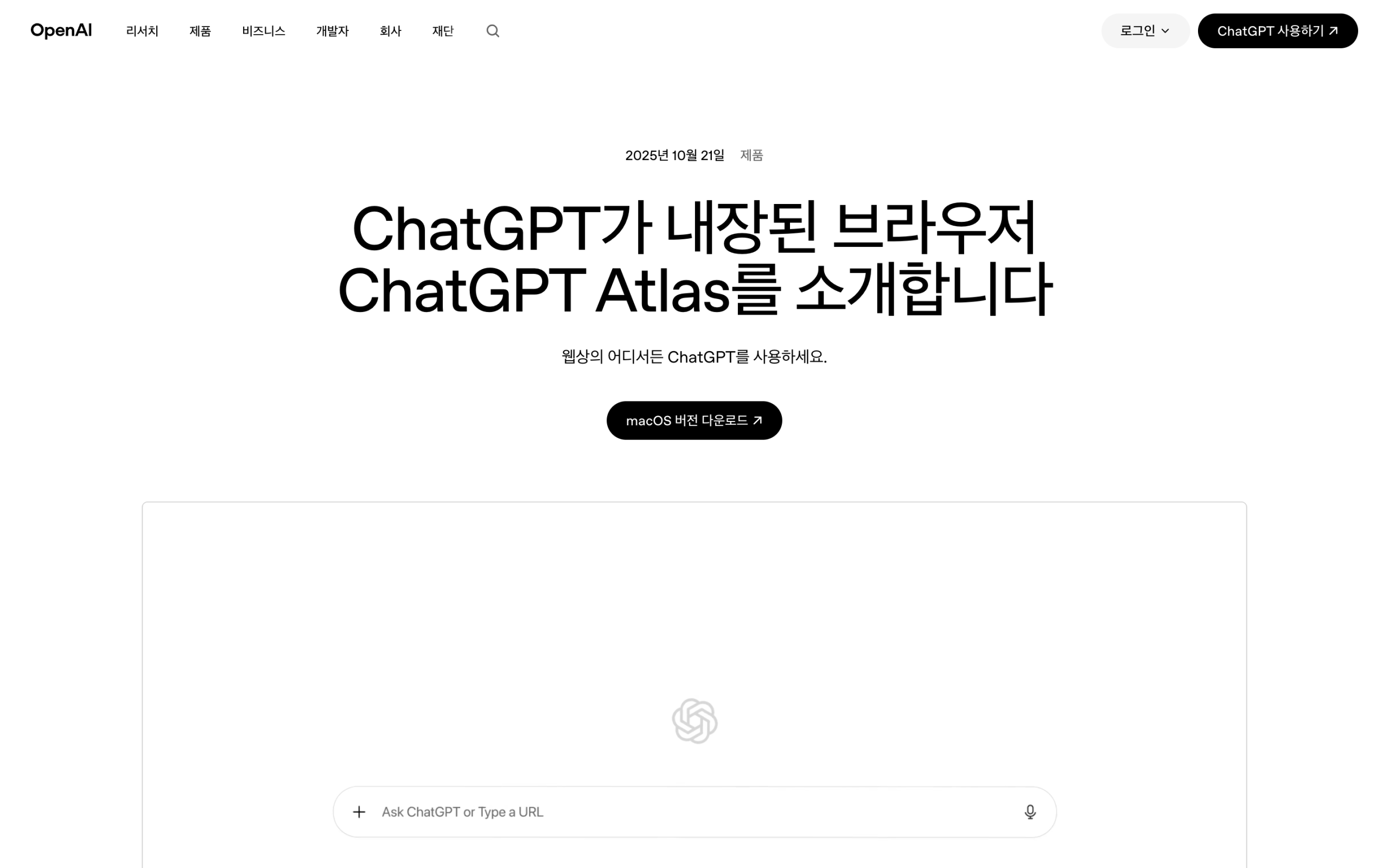
Atlas is OpenAI's browser product, built directly into the ChatGPT interface. The premise is simple: tell it what you want done on the web, and it does it. Book a flight. Compare prices across three e-commerce sites. Fill out a registration form. Atlas reads the page, identifies interactive elements, and acts on them without further prompting.
The failure modes are real and worth knowing upfront. Failure rates climb significantly on pages with CAPTCHAs. On sites heavy with dynamic JavaScript — React SPAs, heavily animated landing pages — the agent sometimes fails to recognize interactive elements correctly. It mistakes a div-based button for static text and gets stuck. These are not edge cases. They happen on mainstream sites regularly enough to be a factor in any workflow relying on Atlas for critical tasks.
Atlas is included in ChatGPT Plus at $20 per month or ChatGPT Pro at $200 per month. There is no separate browser fee. If you are already subscribed to ChatGPT Plus, Atlas is available at no additional cost. The agent runs cross-platform — Windows, macOS, and browser-based access all work. That cross-platform reach is a significant practical advantage over Dia, which is macOS-only.
The permission model matters for Atlas in a way it does not for the other two. Atlas can read your browsing session, submit forms, and execute purchases. The scope of what it can access is configured in settings, but defaults are permissive. Before pointing Atlas at any account that holds sensitive data — work email, financial portals, HR systems — reviewing the permission scope is mandatory, not optional. Treating the defaults as safe is the mistake most new users make in the first week.
· CAPTCHA pages cause frequent agent failures
· Dynamic JavaScript-heavy sites can break element recognition
· Autonomous agents are still early-stage products
· All web action data routes through OpenAI servers
Comet — The Search Engine That Became a Browser
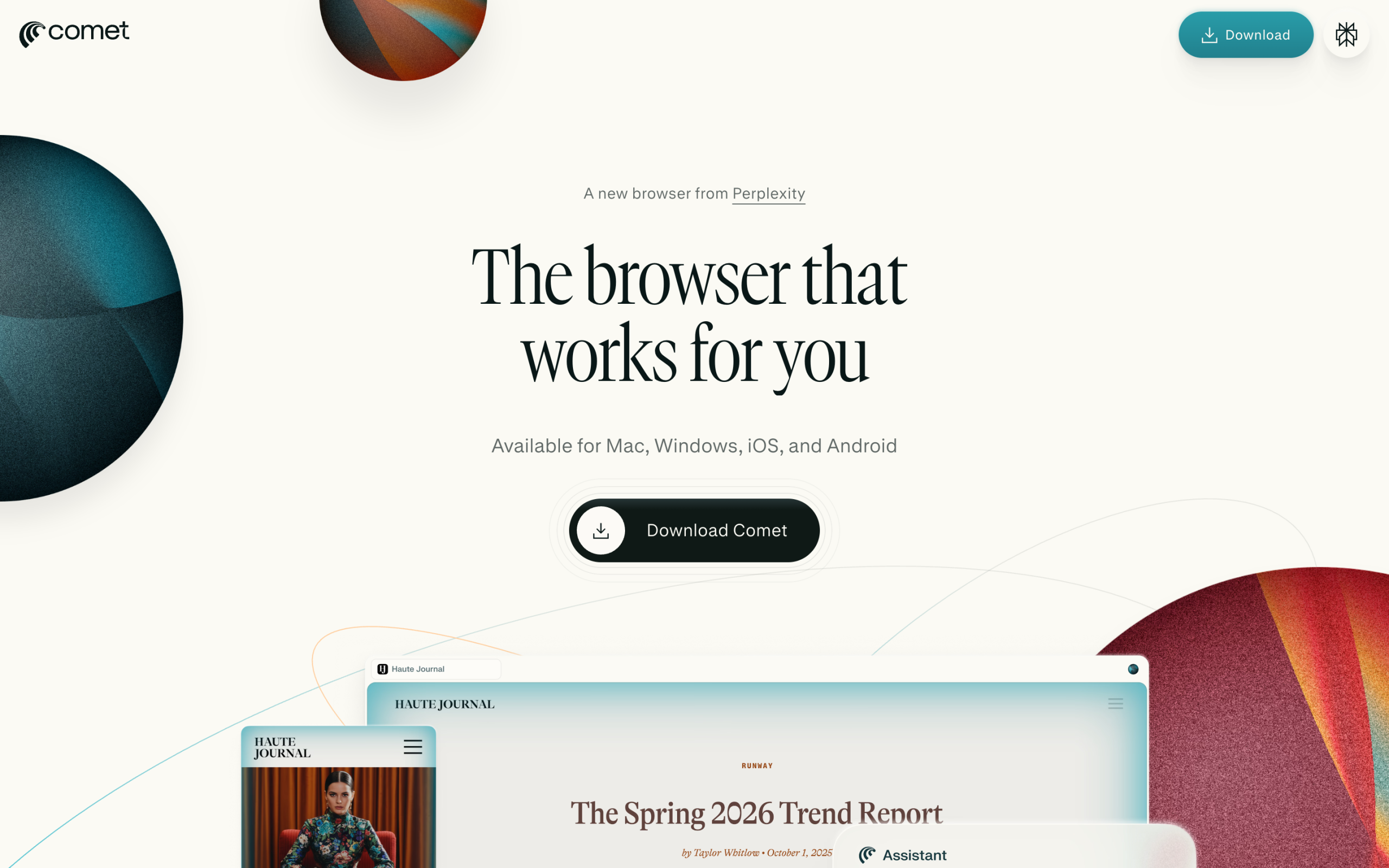
Comet is the version where a search engine became a browser. Instead of typing a URL into the address bar, you type a question and Perplexity answers immediately. The core search engine is the same as the existing Perplexity app — the key difference is that it has been built as a browser, not a standalone search interface layered on top of one.
The decisive difference is that Comet uses tab history as context. If you opened a "Python async processing" tab in the morning, when you ask about "async/await examples" in the afternoon, it uses that earlier browsing history as context for its answer. There is no need to re-explain the topic. The session behaves like a continuous research conversation rather than a series of disconnected queries. It feels like picking up a research thread, not starting over.
Comet's agent features operate within a search → summarize → save scope. It does not directly fill out forms or handle payments the way Atlas does. Its strength is the research flow: query, surface sources, synthesize across tabs, save conclusions. For anyone whose primary browser use is investigative — reading documentation, reviewing literature, comparing product options — that scope covers most of the workflow.
Comet launched first to Perplexity Pro subscribers at $20 per month. It runs cross-platform. The initial rollout required a waitlist or beta invite. For existing Perplexity Pro users, the upgrade to Comet is a natural extension of an existing workflow rather than a new tool to learn from scratch. The distinction between Comet and the existing Perplexity.ai interface is not cosmetic — the entire browsing session becomes the AI's context window, not just the current query.
Dia — The Browser That Understands Tabs
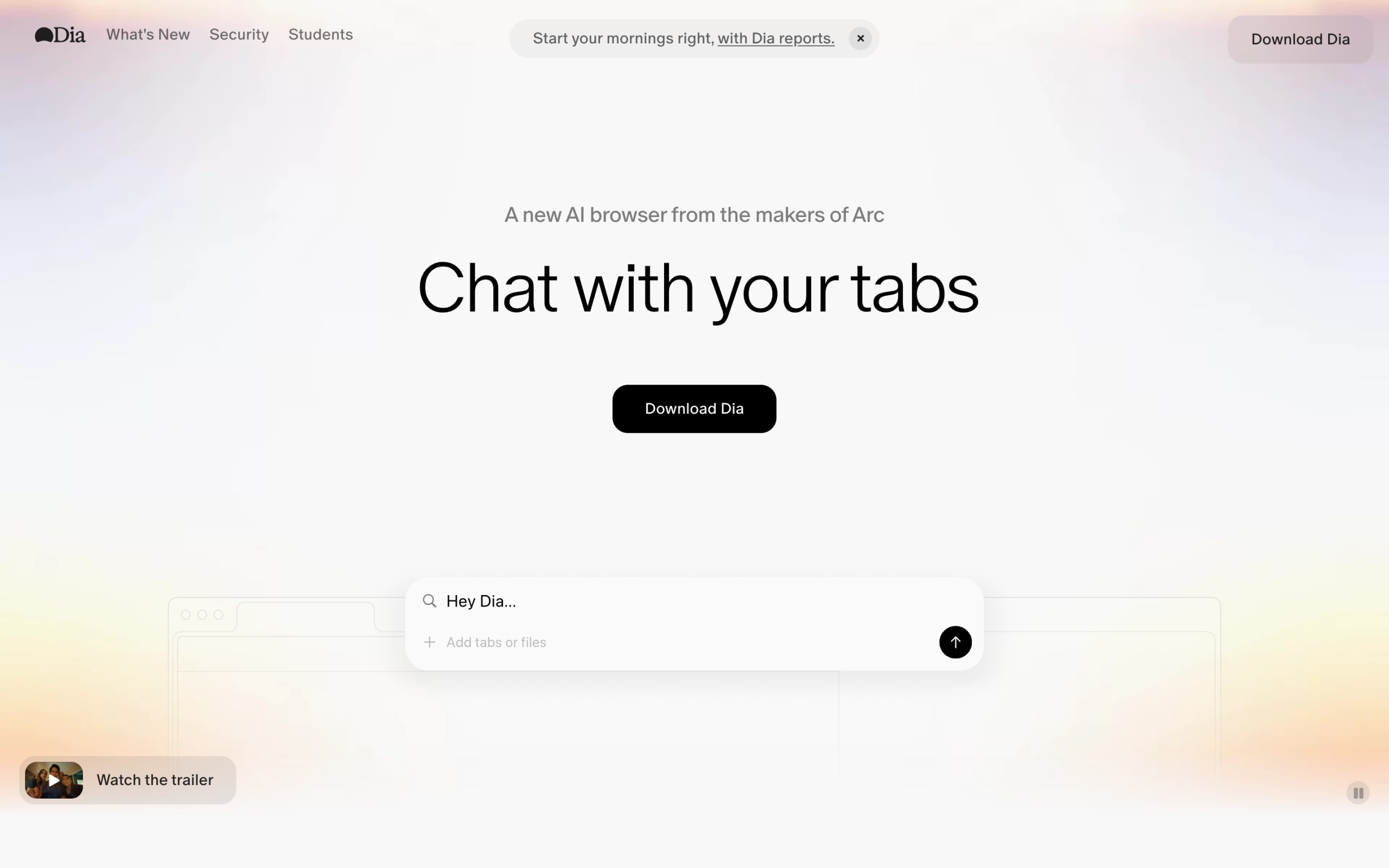
Dia takes a completely different direction. The concept is a browser that understands what you are reading — passively, without being asked explicitly. It summarizes tabs and finds connections between documents across an entire open session. The positioning is closer to a reading assistant than an autonomous agent. It is the next-generation product from Browser Company, the team behind Arc.
Arc drew attention for its tab management UX — spaces, pinned tabs, and a sidebar-first design departing radically from the Chrome model. Dia keeps that unconventional design philosophy but rebuilds the core around AI comprehension rather than visual organization. The key capability is responding to natural language commands about open content: "summarize only the React performance-related tabs from these 25 open pages" is a real and practical command Dia handles well.
Dia's privacy posture is the strongest of the three browsers. A high proportion of processing happens locally, meaning tab content is transmitted to the cloud significantly less than with Atlas or Comet. For anyone working with confidential documents, internal wikis, or sensitive research that cannot leave the machine, this matters. The tradeoff is the platform constraint — Dia is currently macOS-only, and Windows support plans have not been officially announced.
Dia launched as a free product with no subscription requirement. For anyone who wants to test an AI-native browsing experience without committing money, Dia is the obvious starting point. The free tier is not a stripped-down demo — it is the full product as it currently exists. The Browser Company has a history of monetizing later while building audience first, which was Arc's path as well.
How Each Browser Handles Authentication and Secure Sessions
Authentication is where AI browser behavior gets complicated fast. The moment an agent needs to log into a service — a work dashboard, a banking portal, a subscription platform — the data exposure question becomes acute. Credentials, session tokens, and personal data all enter the equation. The three browsers handle this in materially different ways, and the difference matters for any professional workflow that touches authenticated systems.
Atlas inherits session state from the current browser environment. When it navigates to a site where you are already logged in, it operates within that authenticated session without requiring retyped credentials. The consequence: the agent is operating with full account access. Atlas does not distinguish between "summarize this page" and "submit this form and confirm this purchase" — both are within scope when authenticated. Setting explicit permission boundaries in Atlas's settings before using it with any authenticated account is not an optional configuration step. It is the mandatory first action before any real use begins.
Comet treats authentication conventionally. It does not attempt to access authenticated sessions as part of its agent workflow — search and summarization happen against publicly accessible content. For internal tools behind a login wall, Comet's research capability stops at the authentication boundary. This limits its scope but also limits its risk. A research browser that does not touch authenticated sessions has a structurally smaller attack surface than one that does.
Dia is the most conservative by design. Tab content is processed locally first, and the browser is not architected for cross-authenticated-session interaction. For teams working with proprietary documentation, legal materials, or internal product data, Dia's local-first processing provides a meaningful structural guarantee that Atlas and Comet do not. The tradeoff is that autonomous action is off the table entirely. For confidential reading and synthesis, Dia's authentication posture is the right call.
1. Check whether the agent can submit forms and purchases within authenticated sessions
2. Confirm whether session tokens and cookies are transmitted to external servers
3. Review the data retention policy for authenticated session activity specifically
4. Set the most restrictive permission scope before initial use
5. Never use autonomous agents on financial or healthcare portals without explicit confirmation of the data handling terms
Real Scenario: Running Atlas for a Week on a Repetitive Research Task
Atlas was put through a real workflow: daily competitive pricing checks across five e-commerce sites for the same set of products. This is exactly the kind of task Atlas is designed for — repetitive, structured, multi-site, no login required. The command given was simple: "Go to these five URLs, find the current price of this product on each, and return them as a list."
On day one, Atlas completed the task cleanly on four of the five sites. The fifth had a cookie consent overlay that the agent could not dismiss. The site rendered a CAPTCHA after the overlay, and Atlas stalled. This is the documented failure pattern. The fix was manual: visit that site first, dismiss the overlay manually, then hand off to Atlas. Not a dealbreaker — but not fully autonomous either.
By day three, the routine was established. Atlas handles four sites without intervention. The fifth gets a 30-second manual setup. The net time saving versus doing all five manually was still significant. For a task repeated daily, even partial automation with one manual step creates real value. The programmatic equivalent of what Atlas runs under the hood looks like this — the Perplexity API call below validates the kind of structured data retrieval Comet performs on the same problem:
# Perplexity API — the same engine powering Comet's search
# Run this to validate what Comet retrieves before trusting it for research

curl https://api.perplexity.ai/chat/completions \
  -H "Authorization: Bearer $PERPLEXITY_API_KEY" \
  -H "Content-Type: application/json" \
  -d '{
    "model": "llama-3.1-sonar-large-128k-online",
    "messages": [
      {
        "role": "system",
        "content": "You are a research assistant. Cite all sources."
      },
      {
        "role": "user",
        "content": "Compare the current pricing for Atlas, Comet, and Dia AI browsers as of April 2026. Include subscription tiers."
      }
    ],
    "search_recency_filter": "month",
    "return_citations": true
  }'
The critical learning from a week of Atlas use: design tasks around its strengths. Fully static pages, predictable DOM structures, no login walls. The more a site deviates from a simple read-the-content pattern, the higher the failure rate. Use Atlas for data extraction on publicly accessible pages. Do not point it at SPA dashboards expecting reliable performance yet.
The upside that surprised me: Atlas's output format. When retrieving structured data across multiple sites, it returns results in a clean, scannable format without being asked. It did not dump raw HTML or unformatted text. The summaries were immediately usable. That quality-of-output benefit compounds over repeated use — and it is the reason Atlas earns its keep even on workflows where the failure rate is nonzero.
- Static pages with predictable HTML structure
- Price comparison across multiple sites
- Form submission on well-rendered pages
- Tasks requiring no mid-session decisions
- ChatGPT Plus subscribers (no extra cost)
- CAPTCHA-protected pages
- Heavily dynamic JavaScript SPAs
- Sites with modal overlays or cookie banners
- Tasks requiring real-time human judgment
- Sensitive data workflows (privacy concern)
Real Scenario: Comet for a Three-Day Research Deep Dive
The test case for Comet was a three-day research sprint: gathering technical documentation, product comparisons, and academic sources on a single topic. Normally, this involves Chrome with 30+ tabs, multiple search queries, and significant time spent re-reading content already found to reconnect context. Comet's tab history feature was specifically built for this problem.
Day one: opened 18 tabs across documentation pages, product pages, and news articles. All searches done inside Comet's address bar. The session felt like Perplexity but without needing to leave the browsing context. Answers surfaced inline. Related articles appeared in the sidebar. No tab switching to a separate search window.
Day two: the tab context feature showed its value. Searching for "implementation examples" in the afternoon pulled answers grounded in documentation tabs opened the previous day. Comet referenced specific sections from earlier-opened pages without being prompted to do so. The research session felt continuous in a way that single-session Chrome workflows cannot replicate. The Python example below mirrors the kind of multi-turn research Comet handles natively — this is the OpenAI Responses API doing the same thing Atlas runs under the hood:
# OpenAI Responses API — web browsing tool (the Atlas backend model in action)
# This is how Atlas handles multi-step research tasks programmatically

from openai import OpenAI

client = OpenAI()  # uses OPENAI_API_KEY env var

response = client.responses.create(
    model="gpt-4o",
    tools=[{"type": "web_search_preview"}],
    input=[
        {
            "role": "user",
            "content": (
                "Compare the latest pricing for Atlas (ChatGPT), "
                "Perplexity Comet, and Dia browser as of April 2026. "
                "Include platform availability and agent capabilities for each."
            ),
        }
    ],
)

# Extract the final text response
for item in response.output:
    if item.type == "message":
        for block in item.content:
            if block.type == "output_text":
                print(block.text)
Day three: the friction point emerged. Comet's agent cannot execute actions the way Atlas can. Research found, but acting on it — submitting a contact form, signing up for a service — required switching to a different tool or doing it manually. For a pure research workflow, this is irrelevant. For anyone who expects the browser to act on research conclusions, Comet stops short. The division between research and action remains manual.
The net result: Comet saved approximately 40 percent of the time that would have been spent re-querying and re-reading on day two and three. The accumulated tab context made follow-up questions faster and more precise. That efficiency gain is real and significant for anyone who runs multi-day research projects regularly. The browser earned its $20 per month in the first week of use — specifically on day two, when the context carry-over became undeniable.
- Multi-day research projects
- Academic literature review
- Competitive intelligence gathering
- Existing Perplexity Pro subscribers
- Sessions requiring contextual memory across tabs
- Direct web action execution
- Form submission and purchases
- Tasks requiring autonomous multi-step execution
- Users not already in the Perplexity ecosystem
- Workflows where $20/month is unjustified
Migrating from Chrome to an AI Browser — A Step-by-Step Guide
Switching browsers is not trivial. Years of bookmarks, saved passwords, extension configurations, and muscle memory all sit inside Chrome. The migration barrier is real, which is why most people test AI browsers in parallel rather than replacing Chrome outright. But running two browsers simultaneously creates its own overhead. Here is the migration approach that minimizes disruption.
Step one: export Chrome data before anything else. Go to Chrome settings → Passwords → Export, and do the same for bookmarks. This takes three minutes and eliminates the primary anxiety of losing data. Import those bookmarks into the target AI browser on day one. Most modern browsers support the Chrome bookmark export format directly — no reformatting required.
Step two: identify the five to ten extensions you use daily. Extension compatibility is the hardest migration constraint. Dia does not support Chrome extensions in its current form. Atlas and Comet, built on Chromium, support a broader range of existing extensions. For any workflow dependent on specific extensions — password managers, ad blockers, developer tools — check compatibility before committing to Dia. The script below runs a quick compatibility check against the Chrome Web Store:
// TypeScript — Chrome extension compatibility check script
// Run this against your extension list before migrating to confirm what survives

const extensionIds: string[] = [
  "cjpalhdlnbpafiamejdnhcphjbkeiagm", // uBlock Origin
  "hdokiejnpimakedhajhdlcegeplioahd", // LastPass
  "nkbihfbeogaeaoehlefnkodbefgpgknn", // MetaMask (example)
];

async function checkExtensionAvailability(id: string): Promise<{ id: string; available: boolean }> {
  const url = `https://chrome.google.com/webstore/detail/${id}`;
  try {
    const res = await fetch(url, { method: "HEAD" });
    return { id, available: res.status === 200 };
  } catch {
    return { id, available: false };
  }
}

async function main() {
  console.log("Checking extension compatibility for Chromium-based AI browsers...\n");
  const results = await Promise.all(extensionIds.map(checkExtensionAvailability));
  results.forEach(({ id, available }) => {
    console.log(`${id}: ${available ? "✅ Available" : "❌ May not transfer"}`);
  });
  console.log("\nNote: Dia does not support Chrome extensions — verify separately.");
}

main();
Step three: migrate one use case at a time. Do not switch 100% of browsing on day one. Pick the single workflow the AI browser is best suited for — daily research in Comet, repetitive automation in Atlas — and use that exclusively inside the new browser for two weeks. Keep Chrome for everything else. After two weeks, evaluate whether the AI browser has earned more of the workflow. Cold-turkey switches fail. Incremental migration sticks.
Step four: sync passwords via a third-party manager before completing the migration. 1Password, Bitwarden, and Dashlane all work cross-browser without requiring Chrome's built-in password storage. Moving password management out of Chrome's ecosystem before migrating eliminates the single largest point of friction in any browser switch. This step alone prevents most migration failures. Do this on day zero, not after the migration stalls.
Autonomous Agent Capability Comparison
Atlas leads in executing multi-step tasks. It handles accommodation booking, form submission, and price comparison in sequence. When told to compare prices for flights across three sites, Atlas opens tabs, navigates each site, extracts the relevant data, and returns a synthesized comparison. This entire flow runs as a single command. An autonomous agent, by definition, achieves goals without human intervention between steps.
Comet semi-automates within a search and summary scope. It excels at aggregating multiple search results into a single coherent answer, drawing on tab history and session context that standalone search engines cannot access. Its agent capability to directly execute web actions — clicking buttons, submitting forms, interacting with authenticated sessions — is more limited than Atlas. Tab context utilization is its genuine and differentiating core strength.
Dia has the weakest agent features of the three. Tab reading and summarization are its primary capabilities, and it has no meaningful capability to directly execute web tasks. Dia is not trying to be an agent. It is trying to be the most comprehensively aware passive browsing companion available. For that specific use case, it excels. Calling it weak because it does not automate tasks is like criticizing a calendar app for not sending email.
The ranking of agent capability is Atlas > Comet > Dia. But higher agent capability directly correlates with higher privacy risk. Autonomous agents browse the web on behalf of users — meaning access logs, form inputs, and session data pass through external servers. The relationship between capability and risk is not incidental. It is structural. Higher capability requires more server-side processing, and server-side processing means data leaves your machine.
Side-by-Side Comparison
The core differences between the three browsers come down to four axes: agent capability, privacy posture, platform availability, and cost. The first thing to confirm is that agent capability and privacy risk are inversely proportional — this holds across all three products without exception.
The table below captures where each browser stands across eight dimensions that matter in a professional workflow. No single browser leads in every category. The decision is about identifying which three or four dimensions matter most for the specific work at hand — then picking the browser that wins on those dimensions specifically. A researcher and an e-commerce operator will reach opposite conclusions from the same table.
| Category | Atlas (OpenAI) | Comet (Perplexity) | Dia (Browser Co.) |
|---|---|---|---|
| Core Feature | Autonomous agent | AI search integration | Tab understanding and summarization |
| Platform | Cross-platform | Cross-platform | macOS only |
| Price | $20–200/month | $20/month | Free |
| Agent Capability | High | Medium | Low |
| Privacy Risk | High | Medium | Low |
| Extension Support | Chromium-based | Chromium-based | Limited |
| Best For | Repetitive task automation | Research and investigation | Tab-overloaded users |
| Underlying AI | GPT-4o / OpenAI models | Perplexity / Sonar models | Browser Co. proprietary |
Pricing structure in detail clarifies the subscription decision further. Atlas is the only product where cost scales with existing subscription tier — the Pro plan at $200/month unlocks more capable agent behavior beyond the Plus tier.
| Browser | Entry Price | Subscription Requirement | Free Access | Additional Cost for Browser |
|---|---|---|---|---|
| Atlas (OpenAI) | $20/month | Included with ChatGPT Plus/Pro | No | None — bundled |
| Comet (Perplexity) | $20/month | Included with Perplexity Pro | Beta invite | None — bundled |
| Dia (Browser Co.) | $0 | None required | Fully free | None |
One dimension the tables above do not capture is development momentum. Atlas benefits from OpenAI's capital and engineering depth — the largest AI infrastructure budget of the three by a significant margin. Comet inherits Perplexity's growing subscription base and live search infrastructure, which is already at scale. Dia carries the credibility of a team that built one of the most design-forward browsers of the past decade with Arc. The browser closing limitation gaps fastest in 2026 will be whichever team converts that momentum into shipping cadence. All three are moving — but Atlas has the most runway to close the CAPTCHA and dynamic-JS failure gaps that currently hold it back.
Recommendations by Use Case
The table below maps specific work patterns to the browser best suited for each. The decision is about workflow fit, not about which browser is objectively best. All three are early products. All three have real limitations. The question is which limitation set hurts your specific workflow the least.
The variable that often overrides all others is existing subscription status. If a ChatGPT Plus subscription is already active, Atlas costs nothing incremental. If Perplexity Pro is already active, Comet costs nothing incremental. The best browser is rarely the most feature-complete one — it is the one already available at no additional cost that fits well enough to do the job. Starting from what you already pay for is the correct opening move.
| Situation | Recommendation | Reason |
|---|---|---|
| Automating repetitive web forms and purchases | Atlas | Strongest autonomous agent capability |
| Research papers and document review | Comet | Search + tab context integration |
| Managing 20+ tabs at once | Dia | Specialized in tab understanding and summarization |
| Want to start with no cost | Dia | Fully free at launch |
| Windows users | Atlas or Comet | Dia is macOS only |
| Privacy first | Dia | Highest proportion of local processing |
| Already paying for ChatGPT Plus | Atlas | No incremental cost — already included |
| Already paying for Perplexity Pro | Comet | No incremental cost — already included |
| Developer doing competitive analysis | Comet | Deep research across multiple sources with retained context |
| E-commerce sourcing or price monitoring | Atlas | Multi-site data collection in a single command |
Two categories of users will find clear guidance without needing to test at all. Anyone whose workflow is dominated by repetitive structured web tasks should go straight to Atlas. Anyone whose workflow is dominated by multi-session, multi-source research should go straight to Comet. Dia is the right call for everyone else — especially anyone who wants zero-cost entry with maximum privacy. Two weeks of real use will confirm or revise that starting pick with no ambiguity.
Privacy Trade-offs
Atlas is cross-platform, but web task data passes through OpenAI servers. While the autonomous agent browses sites on your behalf, access logs accumulate on OpenAI's infrastructure. Every page visited, every form interaction, every extracted data point is processed server-side. When using Atlas with sensitive work accounts, check the agent's permission scope first. What sites and what permissions are granted can be controlled in settings — but this requires intentional configuration, not just default trust.
With Comet, search history and tab context are stored on Perplexity's servers. Research data accumulates over time. The feature that makes Comet powerful — persistent tab context across sessions — is also the feature that creates the largest data retention footprint. If using Comet for work purposes involving confidential competitive research, NDA-protected subject matter, or sensitive product development, reading Perplexity's privacy policy and data retention terms before committing is worth the 15 minutes.
Dia has the highest proportion of local processing. Tab data is transmitted to the cloud significantly less than with the other two. There is a meaningful constraint in being macOS-only, but it is the most conservative choice in terms of privacy exposure. The local-first architecture is not just a marketing claim — it is a direct product of the Browser Company's design philosophy, which prioritizes the browsing environment as a private, user-controlled space.
One principle applies across all three: reading each company's privacy policy once before full adoption is non-negotiable. "AI company handles datacarefully" is not a substitute for knowing the actual terms. All three companies are startups or startup-scale teams operating in a competitive market with high compute costs. The incentives to use data for model training exist regardless of stated policy. Know what you agreed to.
1. Read the data retention section of the privacy policy
2. Check whether browsing data is used for model training (and whether opt-out is available)
3. Review the permission scope for any autonomous agent features
4. Identify which categories of work are unsuitable for that browser's data posture
5. Check what happens to your data if you cancel the subscription
Performance Reality: Memory, Speed, and Battery Impact
AI-native browsers carry a resource overhead that standard browsers do not. On-device inference models, context processing pipelines, and persistent background agents all consume RAM and CPU cycles that a traditional browser never touches. Before committing to an AI browser as a daily driver, understanding the performance impact on the machine is practical information, not a theoretical concern. The numbers below are representative reference figures based on typical usage patterns — not controlled lab benchmarks.
Atlas inherits Chrome's Chromium base, which already carries a well-documented memory footprint. The addition of OpenAI's agent processing layer adds to that baseline. On machines with 8GB RAM, running Atlas with 15+ active tabs and an agent task in progress can push memory usage to levels that affect other open applications. On 16GB machines, the impact is substantially less noticeable. Battery drain on laptops is measurable — background agent processing keeps the CPU active in ways that passive browsing does not.
Comet runs similarly on Chromium. The persistent search and context-building processes add modest overhead but are generally less resource-intensive than Atlas's full agent execution pipeline. The search backend runs server-side — local processing is mostly context management rather than heavyweight inference. For machines with standard memory configurations, Comet is the less demanding of the two Chromium-based browsers during active use.
Dia's local-first architecture means on-device models handle a larger proportion of processing. Initial impressions suggest this adds measurable RAM usage compared to Safari or Firefox but does not approach the footprint of a Chromium-based browser with extensions loaded. On Apple Silicon Macs specifically, the neural engine handles model inference efficiently — Dia performs best on the hardware it was built for. The table below captures representative resource profiles for comparison.
| Resource | Atlas | Comet | Dia | Chrome (baseline) |
|---|---|---|---|---|
| RAM (10 tabs, idle) | ~900–1200 MB | ~800–1000 MB | ~500–700 MB | ~600–800 MB |
| RAM (agent active) | ~1500–2000 MB | ~1000–1300 MB | ~700–900 MB | N/A |
| Recommended RAM | 16GB+ | 16GB | 8GB+ | 8GB |
| Battery impact | High (agent tasks) | Medium | Medium (local models) | Low–Medium |
| Best hardware | Any (cross-platform) | Any (cross-platform) | Apple Silicon Mac | Any |
Combined Usage Patterns
There is no need to use all three browsers simultaneously. But a pattern of dividing roles between them might work for some workflows. The natural division: Comet handles research and source gathering, Atlas handles automation based on the collected information, and Dia organizes the resulting reference tabs. Each browser handles the phase of work it is architecturally suited for.
Honestly, going deep with one browser is better in most cases. Managing three browsers at once increases context-switching costs and creates its own cognitive overhead. The workflow below is presented as a reference pattern, not a recommendation. Use it only if a single browser genuinely cannot cover the full scope of a given project.
// Automated research-to-action pipeline: Perplexity API + OpenAI Responses API // Pattern mirrors Comet research → Atlas action in a single programmatic flow // Replace env vars with your own credentials before running const PERPLEXITY_KEY = process.env.PERPLEXITY_API_KEY!; const OPENAI_KEY = process.env.OPENAI_API_KEY!; async function researchPhase(topic: string): Promise{ const res = await fetch("https://api.perplexity.ai/chat/completions", { method: "POST", headers: { Authorization: `Bearer ${PERPLEXITY_KEY}`, "Content-Type": "application/json", }, body: JSON.stringify({ model: "llama-3.1-sonar-large-128k-online", messages: [{ role: "user", content: `Research and summarize: ${topic}` }], search_recency_filter: "week", return_citations: true, }), }); const data = await res.json(); return data.choices[0].message.content as string; } async function actionPhase(summary: string, task: string): Promise { const { OpenAI } = await import("openai"); const client = new OpenAI({ apiKey: OPENAI_KEY }); const response = await client.responses.create({ model: "gpt-4o", tools: [{ type: "web_search_preview" }], input: [ { role: "user", content: `Based on this research:\n${summary}\n\nNow perform: ${task}`, }, ], }); for (const item of response.output) { if (item.type === "message") { for (const block of item.content) { if (block.type === "output_text") console.log("Result:", block.text); } } } } // Run: research first, then act on findings researchPhase("best AI browser pricing tools April 2026") .then((summary) => actionPhase(summary, "List the top 5 pricing page URLs")) .catch(console.error);
The real value of thinking about combined usage is not necessarily adopting all three. It is recognizing that these three products represent three fundamentally different bets on what "browsing" means. Atlas bets on execution. Comet bets on context. Dia bets on comprehension. Users who feel that one browser cannot fully replace Chrome are often recognizing, correctly, that they need more than one of these capabilities. The answer is not three browsers — it is identifying which capability gap is largest and starting there.
Which One to Choose
If there is a lot of repetitive web work — pulling data from the same sites daily, repeatedly submitting similar forms, monitoring prices across multiple products — Atlas saves that time. If already subscribed to ChatGPT Plus, it is available at no extra cost. The agent failure rate on CAPTCHAs and dynamic JavaScript is a known limitation, but for well-suited tasks on accessible public pages, the ROI on automation is immediate.
If research and paper summarization are daily work, Comet eliminates the back-and-forth between a browser and a separate search engine. The tab history context feature is genuinely useful over extended research sessions in a way that other browsers cannot replicate. If already using Perplexity regularly, transitioning to Comet is a natural extension of an existing habit. The upgrade cost is zero if Perplexity Pro is already active.
If on macOS and constantly overwhelmed by open tabs, Dia is the right fit. Free entry, strong privacy, and a team with a proven track record of building browsers people actually love using. The macOS-only constraint is real but unlikely to change in the next two quarters. For Windows users, Dia is not yet an option. Atlas and Comet are the practical alternatives.
There is no reason to use all three. Find the biggest bottleneck in the current workflow first. That single constraint is the selection criterion. Two weeks of use with one browser will show definitively whether it fits. The browser that removes the most friction from the most frequent task is the right browser. The rest is secondary.
FAQ
Q. Is ChatGPT Atlas free?
No. It is included with ChatGPT Plus ($20/month) or ChatGPT Pro ($200/month) subscriptions. There is no separate browser fee on top of those subscriptions. If already using ChatGPT Plus, Atlas features are available immediately at no additional cost. Free-tier ChatGPT users do not have access to Atlas agent features. The Pro tier at $200/month unlocks more capable and longer-running agent tasks that the Plus tier does not support.
Q. Can Dia be used on Windows?
Currently, Dia is macOS-only. Windows support plans have not been officially announced as of April 2026. The Browser Company has not given a public timeline for Windows availability. Windows users who want an AI-native browser should evaluate Atlas or Comet instead. Both are cross-platform and available on Windows without restriction. Dia on Apple Silicon is the target experience — do not expect a Windows port on a short timeline.
Q. What is the difference between Perplexity Comet and the existing Perplexity app?
With Comet, the browser itself is the search interface. The distinction is structural: Comet uses tab history across the entire browsing session as context for every query, which the standalone Perplexity app cannot do. The existing Perplexity app is a standalone search tool with no awareness of what else you have open. Comet integrates search into the complete browsing flow — every tab opened becomes part of the context available to subsequent queries. For research-heavy workflows spanning multiple days, this compounding context is the core differentiator. The app answers questions; Comet understands sessions.
Q. Which of the three browsers has the strongest privacy?
Dia. It has the highest proportion of local processing and transmits the least tab and browsing data to external servers. Atlas, by the nature of its autonomous agent feature, routes all web action data through OpenAI's servers — this is unavoidable given how the agent architecture works. Comet retains search history and tab context on Perplexity's servers. If privacy is the primary concern, Dia should be the first consideration — but the macOS-only constraint is a real practical limitation for many users. All three browsers should have their privacy policies read before adoption for work involving sensitive data.
Q. Do I need to use all three at once?
No. Picking one browser that fits the primary workflow is the better approach. Running multiple browsers simultaneously increases context-switching overhead and splits browsing history across tools in a way that reduces the AI context benefits each browser is designed to provide. The three-browser combined workflow described in this article is a reference pattern, not a recommendation. Find the single most frequent bottleneck in the current workflow and pick the browser that addresses it. Start there and evaluate after two weeks of real use.
Q. How often does Atlas fail on real websites?
Failure rates are elevated on CAPTCHA-protected pages and sites heavy with dynamic JavaScript. For fully static pages and standard HTML-rendered sites, Atlas performs reliably for structured extraction tasks. SPAs built on React or Angular with complex event-driven DOM updates have a meaningfully higher failure rate. Atlas performs best when pointed at publicly accessible, content-focused pages with conventional HTML structure. Authenticated dashboards, interactive web applications, and payment-step pages all carry higher failure risk. Plan any Atlas workflow with a manual fallback for the most critical steps — never assume full autonomy on a first run.
Q. Is Comet available outside the Perplexity Pro waitlist?
At launch, Comet was offered first to Perplexity Pro subscribers, with access gated by beta invite for others. Availability has been expanding progressively since launch. The fastest path to access is an active Perplexity Pro subscription. Free-tier Perplexity users may have access through waitlist invitations depending on rollout timing. Check the Perplexity official site for current availability status — the expansion has been ongoing since the initial Pro-subscriber launch and is not region-locked.
Q. Are any of these browsers ready to replace Chrome as a daily driver?
Not yet for most users. All three are early-stage products with documented limitations. Atlas has agent reliability gaps on dynamic pages. Comet's agent scope is narrower than a full replacement browser requires. Dia is macOS-only and has limited extension support. The practical recommendation is to run an AI browser in parallel with Chrome for specific use cases rather than replacing Chrome outright immediately. Evaluate after two to four weeks of parallel use whether the AI browser has earned full-time daily driver status for your specific workflow. The trajectory toward full replacement is clear — the timeline for most users is 2027 or later.
Closing
The AI browser market is just getting started. None of the three products is a finished product. Atlas has agent failure rates on CAPTCHA and dynamic JS pages. Comet has limited agent scope beyond search and summarization. Dia is macOS-only with restricted extension support. These are real limitations worth knowing, not minor footnotes. But the architectural directions have already diverged clearly and irreversibly: autonomous execution, integrated research, and passive comprehension are three distinct bets on the future of how people interact with the web.
The browser has been static for 30 years. Tab, address bar, back button, bookmarks. That model is not changing overnight. But the layer that sits on top of that model — the AI that reads, acts, and remembers — is already fundamentally different across these three products. The right one depends on which part of the current workflow creates the most friction. Find that bottleneck. Pick the browser engineered to remove it. Use it for two weeks. The answer becomes obvious.
· OpenAI ChatGPT — Atlas Browser Official Page
· Perplexity Comet — Official Product Page
· Dia by Browser Company — Official Site
· OpenAI Privacy Policy — Data Handling Terms
· Perplexity Privacy Policy — Data Retention Terms
· Browser Company — Official Site and Dia Documentation
· OpenAI Computer Use API — Technical Documentation
· Perplexity Sonar API — Developer Documentation
Price and feature information in this article is current as of April 2026. Release schedules and pricing plans are subject to change. Check each product's official site for the latest information.